
Download Bucky – expense tracker, budgeting app, personal finance, track expenses, financial management, money tracker, free expense tracker, expense management
Overview
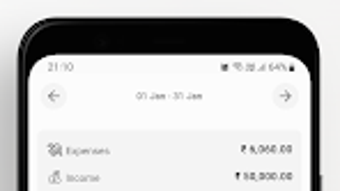
Bucky is a free expense tracker application developed by Turing Labs, designed for Android users seeking a straightforward way to manage personal finances. The app aims to simplify the process of monitoring daily, weekly, and monthly spending by allowing users to log transactions with minimal effort. Its core purpose is to help individuals gain better control over their financial habits through categorization, budget setting, and visual tracking of spending patterns over time. Bucky targets consumers and budget-conscious individuals who want a lightweight, intuitive tool without the complexity of enterprise-grade financial software.
Designed with simplicity in mind, Bucky features a minimalistic interface that prioritizes ease of navigation. Users can quickly record expenses, assign them to custom categories, and track totals across different timeframes. The app supports multiple currencies, which makes it suitable for users who travel frequently or engage in international transactions. While the developer did not provide detailed information about advanced financial integration or syncing capabilities, the app appears to function as a standalone utility focused on personal expense monitoring. Real-world use cases include managing household budgets, tracking travel expenses, or monitoring daily coffee spending to identify cost-saving opportunities.
Key Features & Capabilities
- Expense Logging: Users can record transactions with just a few taps, enabling quick and consistent tracking of daily spending.
- Custom Categorization: The app allows users to define and manage their own expense categories and accounts, offering flexibility in how spending is organized.
- Budget Setting: Bucky enables users to set spending limits per category or time period, helping to enforce financial discipline.
- Currency Support: The app accommodates multiple currencies, making it useful for international users or those managing foreign income and expenses.
- Dark Theme: A built-in dark mode enhances usability during nighttime sessions and reduces eye strain.
- Visual Spending Insights: Users can view spending trends over time through charts or summaries, aiding in long-term financial planning.
- Privacy Controls: Features like hiding or showing specific categories and accounts give users control over what is displayed.
These capabilities allow users to maintain a clear picture of their financial health without requiring technical expertise. For example, someone managing a monthly travel budget can set a limit for "Transportation" and receive alerts when nearing the cap. Similarly, a student tracking weekly food costs can use category filtering to isolate and analyze spending habits. The app’s design emphasizes user autonomy and data transparency, aligning with the needs of individuals who value privacy and simplicity in financial tools.
User Interface, Workflow & Performance
Bucky presents a clean, minimalistic user interface that focuses on essential functions without clutter. Navigation is structured around core actions: logging an expense, viewing summaries, managing categories, and adjusting settings. The workflow is designed to be intuitive, allowing users to complete tasks in a few taps, which supports consistent usage over time. The app’s layout appears optimized for mobile screens, with clear labels and accessible buttons, though specific details about animation smoothness or loading times were not provided.
Performance observations are based on general software behavior patterns. The app is reported to be lightweight, with a file size of 25.4 MB, suggesting efficient resource usage. The developer did not specify resource usage details, such as CPU or RAM consumption, so actual performance under heavy use remains unspecified.
Stability is implied through regular updates aimed at bug fixes and performance improvements. However, no information was shared about crash rates, background behavior, or battery impact. Users can expect a basic, responsive experience typical of lightweight Android productivity apps, particularly on devices with modern hardware.
Compatibility & System Requirements
Bucky is designed for Android devices and is available in version 1.1.1. The app has a download size of 25.4 MB, indicating a compact footprint suitable for devices with limited storage. The developer did not provide detailed system requirements, including minimum Android version, RAM, or processor specifications. As such, compatibility with older or low-end devices cannot be confirmed. Platform compatibility information is limited to the Android operating system, with no indication of support for other platforms such as iOS or desktop environments.
Installation is straightforward, and the app does not require administrative privileges or external dependencies. Users are advised to ensure their device meets general Android compatibility standards. The lack of detailed technical specifications means that users should rely on the official store listing for installation guidance. For those seeking cross-platform access, the absence of Mac, Windows, or web versions may be a limiting factor.
Pros and Cons
Pros
- Free to download and use with no in-app purchase barriers
- Simple, intuitive interface ideal for beginners and casual users
- Supports multiple currencies for international users
- Customizable categories and accounts for personalized tracking
- Dark theme improves usability during evening use
- Regular updates suggest ongoing developer support
Cons
- No information provided about cloud sync or backup features
- Limited to Android; no desktop or iOS version available
- Exact system requirements and performance metrics were not disclosed
- May lack advanced reporting or export options for power users
- Privacy features are basic; no mention of encryption or data protection mechanisms
FAQ Section
Is Bucky available for iOS or desktop?
Bucky is currently only available for Android devices. There is no official version for iOS, Windows, or Mac.
Is Bucky safe to use?
Bucky is a free app developed by Turing Labs. While the developer has not disclosed specific security measures, the app does not require sensitive permissions beyond basic storage access for local data. Users should download it from official app stores to ensure authenticity.
Does Bucky support cloud backup or syncing across devices?
The developer did not provide information about cloud backup or cross-device syncing. All data is likely stored locally on the user’s device.
How often is Bucky updated?
Bucky is regularly updated to fix bugs and improve performance. The current version is 1.1.1, released on August 12, 2023.
Can I use Bucky offline?
Yes, Bucky functions without an internet connection. All data is stored locally, allowing users to track expenses even when offline.
Final Thoughts
Bucky delivers a focused, user-friendly experience for individuals seeking a simple way to track daily expenses on Android. Its minimalistic design, multi-currency support, and customizable categories make it a solid choice for casual users and budget-conscious individuals. While the app lacks advanced features like cloud sync and export tools, its core functionality is well-executed and accessible. The absence of pricing and the availability of regular updates suggest a commitment to user experience. For those who prioritize simplicity, privacy, and ease of use, Bucky offers a compelling solution.
Download Bucky now and start managing your expenses like a boss!







